Physical Address
5206 Hwy 5 N Suite 100, Bryant, AR, United States, Arkansas
Physical Address
5206 Hwy 5 N Suite 100, Bryant, AR, United States, Arkansas


October is Cybersecurity Awareness Month. Use it as a reminder to keep W-9s safe before year-end tax reporting. Start by reviewing how your team collects, stores, and shares each form.
A W-9 holds a taxpayer’s name, address, and taxpayer identification number (TIN). That number is often a Social Security number (SSN) or Employer Identification Number (EIN). To protect it, use a clear process, verify requests, and limit access.
Stolen W-9 information can help criminals impersonate a vendor, attempt identity theft, or commit tax-related fraud. An SSN deserves particular care, but an EIN and business details should also be handled responsibly.
A W-9 is not proof that a vendor is legitimate. Treat it as one part of onboarding, alongside verifying the business relationship and independently approving payment instructions.
W-9 requests can arrive throughout the year. As your team prepares for year-end reporting, unexpected requests may blend into normal work. Keep the same verification rules in place year-round.
The goal is to reduce unnecessary copies and protect the copies you must keep. For more guidance, read our article on protecting W-9 and 1099 data.
A scammer may pose as a client, financial institution, or tax authority and ask for an updated W-9. Watch for a lookalike domain, an unexpected request, or pressure to act immediately. Also question demands for login details or information unrelated to the form.
First, check the full sender address. Then confirm an unfamiliar request through a known contact. Even a message from a familiar address deserves scrutiny if the request is unusual.
The IRS does not initiate contact by email or social media to request personal or financial information. Form W-9 goes to the requester, rather than being filed with the IRS. Requesters can include businesses and financial institutions, not just clients who pay you. See the IRS identity protection tips and Form W-9 instructions.
A criminal may impersonate a vendor or take over its email account, then ask you to redirect payments. An attached W-9 can make the request seem credible, but it does not authorize a bank-account change.
A W-9 is a tax-information form, not a payment-instructions form. Keep changes to payment details separate from updates to tax records. Before changing payment details, call a trusted contact. Use a number already on file or one you verify independently. Do not rely on the number in the change request. The FBI’s business email compromise guidance recommends independently verifying changes to account numbers and payment procedures.
A fraudulent vendor can submit stolen tax information and invoices. Review the vendor’s business relationship, contact information, and the work performed before approving payments.
For eligible payers, IRS TIN Matching can check a name/TIN combination against IRS records. However, a match does not prove the sender owns that identity. It also does not prove an invoice is legitimate. See the IRS instructions for requesters of Form W-9.
A message asking you to complete a W-9 may lead to a fake collection page or login screen. Inspect the destination domain and confirm unexpected links with the requester.
A padlock or HTTPS connection means the connection is encrypted; it does not prove that the website or sender is trustworthy. Tell vendors what your real requests look like and how to verify them.
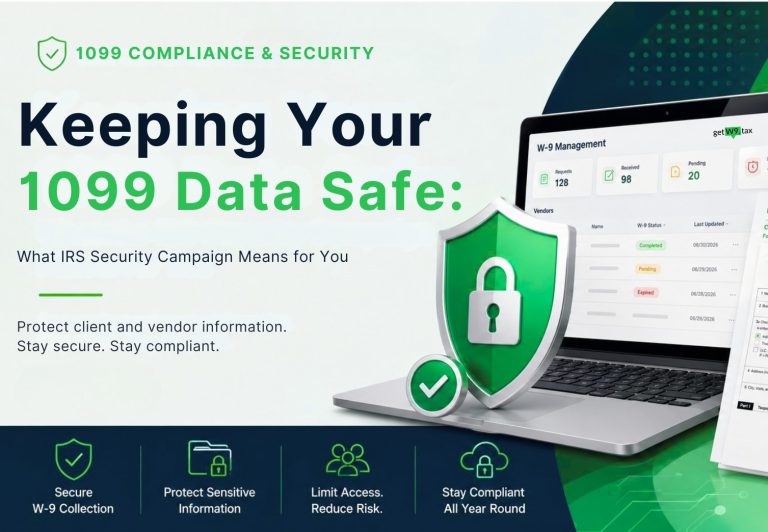
getW9 helps reduce the need to pass completed W-9s around as email attachments. Its published features include:
Protect your account and any downloaded or shared copies as part of the same workflow.
The method alone does not determine compliance. Privacy laws, security rules, contracts, and industry requirements may apply. Because ordinary email attachments can expose tax data, use an approved secure method. Ask your adviser which requirements apply to your business.
Act promptly. Contain the incident, secure affected accounts, and preserve evidence. Next, involve your IT or security provider and legal adviser. They can help assess the incident and identify any notice requirements or deadlines. Follow the FTC’s data breach response guidance.
If you sent a fraudulent payment, contact your financial institution immediately and report the incident to the FBI’s Internet Crime Complaint Center.
Affected individuals can use IdentityTheft.gov for recovery guidance. An IRS Identity Protection PIN can help protect against fraudulent federal tax returns; it does not protect every use of an exposed SSN.
The recipient receives a secure link to complete the W-9 online. After the recipient submits the form, getW9 saves the PDF and details in the requesting business’s account.
Use Cybersecurity Awareness Month to improve how your team handles tax information. A consistent collection process, limited access, and independent verification can reduce unnecessary exposure and help staff spot suspicious requests.
Ready to simplify collection and storage? Explore getW9 and start a 7-day free trial.
This guide provides general information, not individualized tax or legal advice. Review the current IRS instructions and consult your advisers for your situation. Reviewed October 5, 2026.